
Turn saved Instagram posts into a sortable research set.
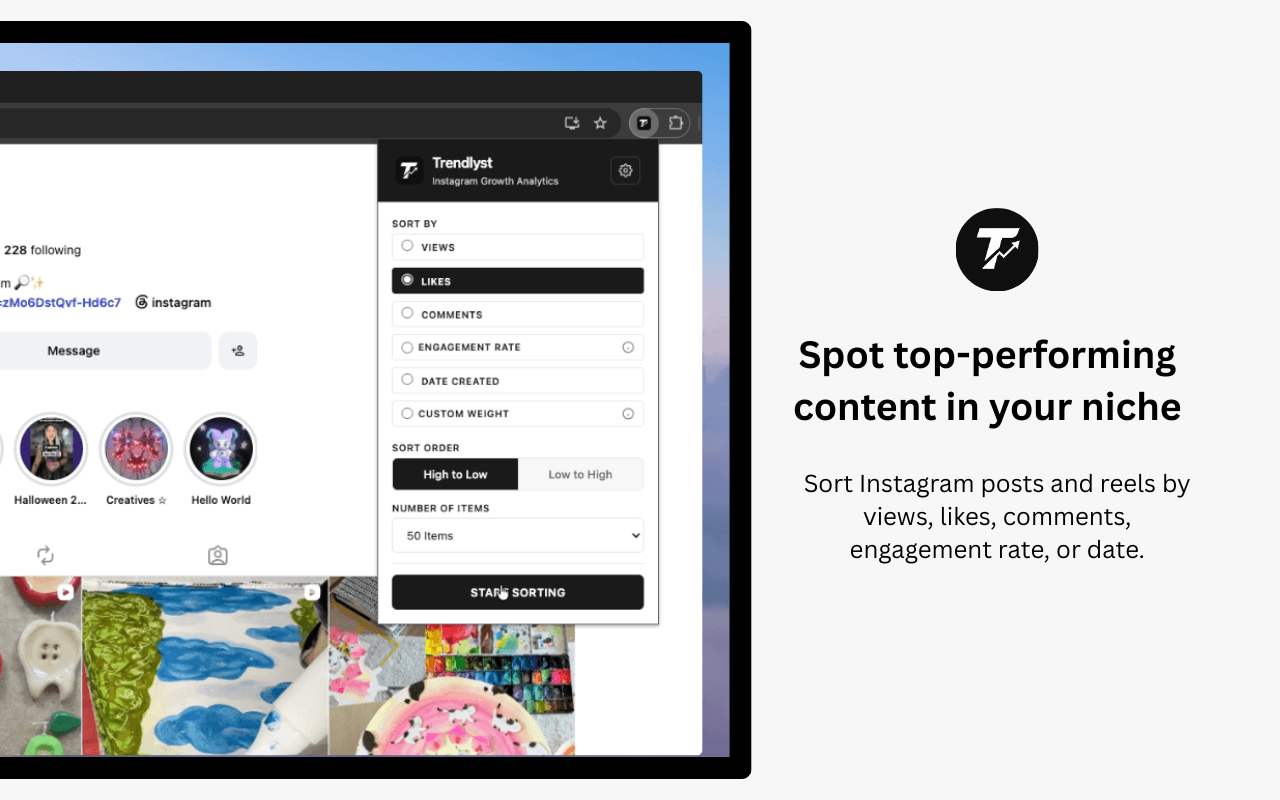
Trendlyst supports Saved sorting as part of advanced Instagram research workflows, helping you review saved content by the signals available in your browser.
Free core extension · No Instagram password shared
- Saved content review
- Swipe file cleanup
- Advanced sorting
- Research exports
Organize content you already collected
Saved posts are often a messy swipe file. Sorting helps you prioritize the examples worth studying.
- Rank supported Saved content by available metrics.
- Use the same research mindset as profile sorting.
- Move useful examples into exports, notes, or download workflows.
Use clear Pro boundaries
Saved and Explore sorting are advanced workflows and may require Pro access depending on current product rules.
- Trendlyst shows paywall states before gated actions.
- Account status syncs with the companion web app.
- Pricing pages explain monthly, yearly, and credit options.
Put it to work
- Review saved creative references by engagement.
- Find the strongest posts in a research collection.
- Export selected saved examples for planning.
- Clean up a large saved-content backlog.
Build a complete workflow with our Instagram research features, or compare Instagram research tools before choosing.
Common questions
Can Trendlyst sort every saved Instagram collection?
Trendlyst depends on supported Instagram surfaces and data available to your active browser session, so coverage can vary.
Is Saved sorting free?
Saved sorting is grouped with advanced Explore/Saved workflows and may require Pro access.
Can I export sorted Saved posts?
Where the relevant data is captured, Trendlyst can support export workflows from sorted results.
Make your next scroll a little more useful.
Start with a profile. Find the posts worth studying. Bring your own point of view.