
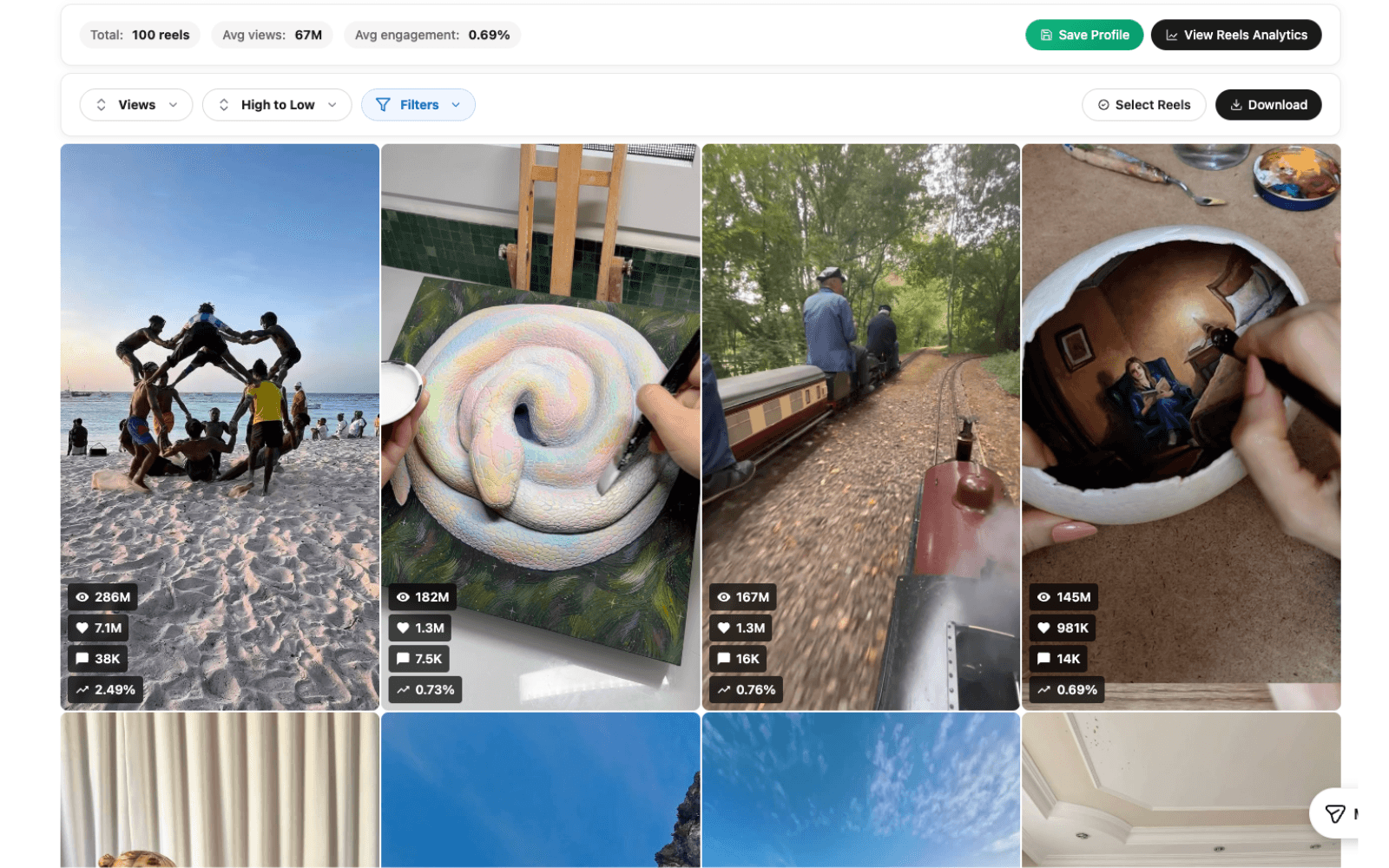
Compare the workflow, step by step.
Swipe to compare all columns.
| What you need | Trendlyst | ViralSort |
|---|---|---|
| Starting point | Instagram sorting and research in Chrome | Profile sorting with a Reels workflow Source |
| Research outputs | CSV, JSON, downloads; Pro transcripts and Google Sheets | Export details not verified in the reviewed source Source |
| Production management | No production board offered in this comparison | Script, shoot, edit, and readiness stages Source |
| Published Reel tracking | No automated tracking offered in this comparison | Published-link performance tracking described Source |
| Where to verify costs | Current Trendlyst pricing and credit terms | Current vendor plans and limits Source |
“Not verified” means the reviewed source did not establish that capability. It does not mean the feature is unavailable.
Choose around the work you do most often
If your day starts with a question about content, make that question the center of the evaluation. You might need to find a creator’s strongest demonstrations, compare different openings, or prepare a shortlist for a client. The useful tool is the one that helps you move from a broad set of posts to evidence you can explain.
If your main challenge begins after you have chosen an idea, write down the steps that need coordination. Who writes the script? Where does the shoot material live? How do you know whether the edit is ready? Those are production requirements. Test them separately from the ability to sort a profile, because a good research experience does not automatically solve a production handoff.
Trendlyst is a practical choice when you want to explore content from your browser and carry the findings into your existing workflow. Start with free core sorting and exports. Evaluate Pro only if you need the advanced workflows. Choose based on the activity you repeat, not on the longest feature list.
Test the sorting workflow on a real research question
Pick a public profile relevant to your work and decide what you want to learn before opening either tool. A useful question could be “Which demonstrations attracted discussion?” or “Which Reels explain the main idea immediately?” This produces a more meaningful trial than simply asking which interface shows the biggest number.
In Trendlyst, collect supported posts or Reels and sort by the available metric that matches your question. Views, likes, comments, engagement, and date offer different ways to review the content. Use the same publication window and media type where possible, then open the examples that rise to the top.
Check the sample rather than assuming you have the whole account. A result set depends on the supported page and the content collected. Record the collection date, number of items, and any missing values. This gives you a fair basis for evaluating whether a tool helps your research without confusing a partial sample with a complete account history.
Decide whether custom ranking is useful to you
Trendlyst Pro adds custom weight formulas for researchers who want more control over ordering. For example, you can choose to give comments more influence than likes. The goal is to surface posts worth reviewing for a specific reason, rather than treating one standard ranking as the answer to every question.
Before paying for a custom score, see whether a standard metric already works. A comments ranking may be sufficient if you are studying conversations. A date ranking may be sufficient for a recent campaign review. Add complexity only when it changes the shortlist in a way that helps you make a better decision.
Explain the score to someone else using a few sample posts. If the explanation is difficult, simplify the formula. A score should make your selection criteria visible. It should not suggest that you have discovered a secret Instagram algorithm or a reliable predictor of future views.
Look at the handoff from research to your next tool
Your research becomes useful when another person can follow it. Trendlyst supports core data exports for moving collected results into spreadsheets or structured workflows. With Pro, direct Google Sheets export creates an online spreadsheet from the collected data. You can add labels, observations, and campaign context beside the available metrics.
Try a small export before planning a large workflow around it. Check that source links, dates, captions, and relevant numbers are useful for your review. Open the output in the tool you actually use. A technically valid file is less valuable if a teammate must repeatedly clean it before understanding the research.
The handoff should include interpretation, not just rows. Name the question, identify the examples that answer it, and explain what you noticed. Separate the observed result from your hypothesis about why it happened. This makes it easier for a collaborator to disagree constructively or suggest a different explanation.
Evaluate spoken content and media work separately
If your research depends on what a creator says, a performance ranking is only the beginning. Trendlyst offers credit-based transcription and translation for supported video workflows. These can help you study wording, compare opening lines, or work with spoken material in another language.
A transcript is a useful reference, but it does not capture every part of a video. Visual demonstrations, on-screen text, pacing, sound, and editing can change the meaning. Watch the original before making a creative conclusion. Review names and specialist terms in generated text before using them in a brief.
Download workflows are another separate requirement. Trendlyst includes limited bulk downloads in the free extension and advanced bulk download controls with Pro. Test the selection and output on a small set of media you are entitled to use. Decide whether you need a local media file, a transcript, or simply a source link for the next stage.
Compare costs by the workflow, not just the headline price
Begin by listing the actions you expect to use each week. Free core sorting may cover an occasional audit. Regular custom scoring, direct Sheets exports, or transcript work may justify considering Pro. The relevant cost is the plan and usage needed for your actual work, not the least expensive number on a pricing page.
Trendlyst’s current pricing page explains the free and Pro boundaries, billing options, and included credits. Credit-consuming work should be budgeted separately from features that are part of active Pro access. Check the current terms before choosing a billing period, especially if your volume changes from month to month.
For any competing tool, confirm the meaning of usage limits during a trial. An active project limit, a stored profile limit, and a monthly action allowance are different constraints. Do not convert one into another when comparing costs. Ask the vendor if the public description leaves an important limit unclear.
Run a small, fair evaluation before moving your workflow
Use one realistic task with the same profile and a comparable sample. Record how you find the shortlist, how easily you inspect the source, and whether the output is useful in your existing process. Keep a short list of friction points instead of trying to assign an arbitrary overall score.
Then test the handoff with someone who did not collect the content. Can they identify the original post, understand why it was selected, and see what action follows? This exposes problems that are easy to miss when you already know the context. A clear output often matters more than saving a few seconds during sorting.
If you are considering a production workflow, use a real idea and follow it through the stages your team needs. Evaluate responsibilities, asset links, status changes, and the way finished work is reviewed. Keep that test distinct from the research test so you can see which part of your work each tool actually improves.
A practical decision for creators and teams
Choose Trendlyst when you want the research session itself to be flexible: collect content, compare rankings, inspect examples, and export useful findings. It is especially relevant if you already have a place for briefs and production tasks and want to bring better references into that system.
A solo creator can start with one profile and one question, then decide whether advanced features solve a recurring problem. An agency can test the export and review process with one client before standardizing it across accounts. Both approaches keep the evaluation tied to work that matters.
You do not need to replace every tool at once. Start with the smallest workflow that produces a useful result, keep the original source context, and expand only when the benefit is clear. Revisit this comparison against the vendor’s current documentation if a particular capability becomes essential to your decision.
Explore the workflows in detail
Our Instagram research feature guide brings these workflows together. Read Reels transcription for the next step. Read Custom Instagram Scoring Formulas for the next step. Read Trendlyst vs WhatTheFeed for the next step.
Sources and methodology
This comparison is published by Trendlyst, one of the products compared. We evaluated documented workflow fit, sorting, output formats, and follow-on research needs. It is not a speed benchmark or an independent hands-on review of both products.
ViralSort describes profile sorting, a dashboard for selecting inspiration, production stages with script and shoot/edit links, and tracking a published Reel by its link. Those are meaningful strengths for a creator managing production. We reviewed its public product description, not a paid account. Pricing and account limits should be checked directly before purchase. ViralSort official product and plan overview.
Trendlyst capabilities were checked against the extension feature registry and public product information. Read the current Trendlyst plan details and the linked vendor source before buying. Review date: September 15, 2026. We review comparisons quarterly or after a material product change.