
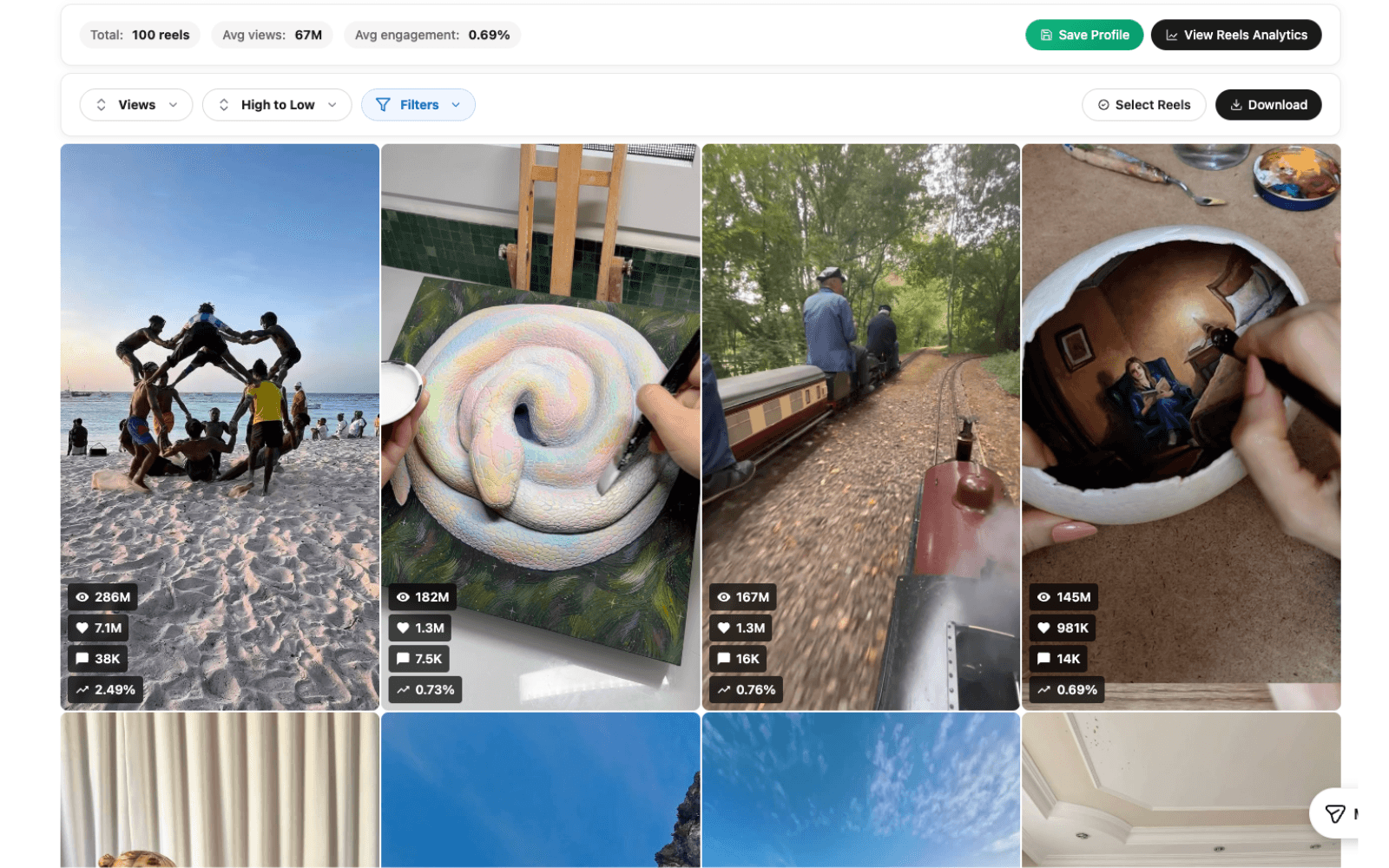
Compare the workflow, step by step.
Swipe to compare all columns.
| What you need | Trendlyst | WhatTheFeed |
|---|---|---|
| Sorting | Views, likes, comments, engagement, date; Pro custom formulas | Views, likes, comments, and age described Source |
| File exports | CSV, JSON, spreadsheet-compatible exports | Excel, CSV, and JSON described Source |
| Direct Google Sheets | Pro; Google connection required | Not verified in the reviewed listing Source |
| Spoken-content workflows | Credit-based transcription and translation | Not verified in the reviewed listing Source |
| Cost check | Free core extension; optional Pro | Free installation listed; check current limits Source |
“Not verified” means the reviewed source did not establish that capability. It does not mean the feature is unavailable.
First, define what a successful export looks like
If you are comparing two Instagram extensions, begin with the document you want at the end of the session. A client audit may need a spreadsheet with source links and short observations. A content brief may need a handful of examples organized around an opening or format. The best choice depends on that output.
Write down the columns and context you need before installing anything. Source URL, publication date, caption, and the metrics relevant to your question are a practical starting point. Add a place for your own explanation of why a post matters. This prevents a feature checklist from distracting you from the actual review.
Trendlyst’s free extension covers core sorting and data exports, so you can evaluate the basics before deciding whether Pro is useful. Start with a small, relevant set of content. A successful trial should leave you with research you would genuinely use in a meeting or creative brief.
Compare the collected sample before comparing rankings
Two tools can produce different top posts without either calculation being wrong. They may have collected different content, used different publication windows, or observed the account at different times. Before evaluating the ranking, check which posts are actually present in the sample.
Use the same public profile and content type where possible. Record the date of collection and inspect the oldest and newest items. If the samples differ, explain that difference in your notes. Avoid declaring one tool more accurate simply because its first result is different.
In Trendlyst, the supported Instagram page and collected results define the research set. Treat the metrics as observations available at that time. A missing number is not a confirmed zero, and a visible view count is not necessarily a count of unique people. These distinctions matter when turning a sorted list into a report.
Test the ranking that matches your research question
Views are useful when you want to inspect widely watched Reels. Likes provide another way to order visible response, while comments can lead you toward conversations. Publication date is useful for a recent campaign. Decide which signal answers your question before calling a post a strong performer.
Trendlyst also offers engagement-based sorting and Pro custom scoring formulas. A custom formula lets you make your selection preferences explicit, such as giving discussion more weight. It is useful when a standard ranking keeps selecting examples that do not fit the question you are trying to answer.
Check the shortlisted posts yourself. High activity can come from different contexts, including a timely topic, a giveaway, a well-known collaborator, or disagreement. The metric tells you where to look. The source content and audience response help you decide whether the reference is relevant to your own work.
Inspect the exported file in your actual spreadsheet app
Open a sample export in the application your team uses, rather than stopping when the download finishes. Confirm that text, dates, and numbers are readable, and that source links lead to the expected posts. Check long captions and non-English text if those are common in your research.
Keep an original copy before modifying the data. Add analysis columns beside it for topic, format, opening, or follow-up. That separation makes it easier to see which fields came from the collection and which are your own interpretations. It also helps if you need to revisit or challenge a conclusion later.
For repeated reviews, agree on a small set of labels instead of inventing a new taxonomy every time. “Demonstration,” “tutorial,” and “opinion” can be sufficient for an initial audit. A consistent, understandable set of categories makes the spreadsheet easier for another person to use.
When direct Google Sheets export is worth considering
Trendlyst Pro can create a Google Sheet directly from the collected results after you connect Google. This is useful if your next step is a shared review and you routinely spend time downloading and importing files. It is an on-demand export, not a scheduled data synchronization service.
If file import is already a comfortable part of your process, CSV may be enough. Evaluate the direct connection based on the steps it removes from your routine. Do not assume you need an online export simply because it is available; the free workflow may already meet your requirements.
After creating a sheet, review its sharing permissions before sending the link. Add a collection date and a brief explanation of the sample. A reviewer should understand what the data covers and what it does not, especially if you are comparing profiles with different content volumes or posting schedules.
Separate captions from the words spoken in a Reel
A post caption is not the same as a transcript. Captions may contain context, hashtags, or a call to action while the spoken explanation exists only in the video. If your research question is about the opening line or how a topic is explained aloud, exported captions alone may not answer it.
Trendlyst provides credit-based transcription and translation workflows for supported videos. These can help you inspect spoken language and revisit it as text. Watch the original alongside the transcript, because delivery, on-screen examples, editing, and sound can be essential to the meaning.
Check transcription output before putting it in a client-facing brief. Proper names, technical terms, and overlapping speech may need review. A translated passage can help you understand a reference, but it should not be treated as a substitute for context or careful editorial judgment.
Decide whether you need media files or source links
For many audits, a direct source link is sufficient. You can reopen the original post during review without creating a local media archive. This keeps the research lightweight and makes it easy to see the surrounding context when an example comes up in discussion.
If your workflow needs local media, Trendlyst includes limited bulk downloads in the free extension and advanced controls with Pro. Start with a small selection and confirm the result matches your needs. Only use or redistribute media where you have the appropriate rights or permission.
A downloaded file, an exported row, and a transcript serve different purposes. Pick the output that helps the next task. Collecting all three for every post can create more material to manage without improving the quality of your research.
Check the free and paid boundaries before committing
Free installation does not tell you every usage limit or account requirement. In any extension trial, check which actions remain available after the first session, whether a feature requires an account, and what happens when you reach a limit. Confirm unclear terms with the vendor rather than inferring them from a store badge.
For Trendlyst, use the current pricing page to distinguish core sorting and exports from Pro features and credit-consuming work. Custom formulas and direct Google Sheets export require Pro. Transcription and translation consume credits, so think about the volume of videos you expect to process.
Evaluate a normal week of work instead of an exceptional one-off project. If you only export a few profiles occasionally, the basic workflow may be sufficient. If you repeatedly analyze spoken material or customize ranking, test those actions deliberately before choosing a plan.
Choose the extension that makes the review clearer
A useful evaluation ends with an understandable brief, not just a faster collection. Give a teammate the output and ask them to follow the source links and explain the shortlist back to you. Note where they need clarification. That reveals whether the workflow supports a real handoff.
Trendlyst is a good fit when your research moves among ranking, exports, media, and spoken content. Try the free foundation first, then add Pro if its specific workflows solve a recurring need. Use the cited competitor listing to verify the other product’s current offer before deciding.
Keep your method simple enough to repeat: define the question, collect a comparable sample, inspect the source, and write down the observation. Whichever extension you choose, that discipline will make the result easier to defend and more useful for your next creative decision.
Explore the workflows in detail
Our Instagram research feature guide brings these workflows together. Read Instagram CSV exports for the next step. Read Export Instagram Posts to Google Sheets for the next step. Read Trendlyst vs ViralSort for the next step.
Sources and methodology
This comparison is published by Trendlyst, one of the products compared. We evaluated documented workflow fit, sorting, output formats, and follow-on research needs. It is not a speed benchmark or an independent hands-on review of both products.
WhatTheFeed’s listing describes sorting public-profile posts and Reels by views, likes, comments, or age, with Excel, CSV, and JSON exports containing captions, metrics, dates, and links. It also describes timestamped analysis history. That is a useful fit for an export-focused review. We checked the developer listing; we did not test a paid account or independently verify every advertised behavior. WhatTheFeed developer listing on the Chrome Web Store.
Trendlyst capabilities were checked against the extension feature registry and public product information. Read the current Trendlyst plan details and the linked vendor source before buying. Review date: September 15, 2026. We review comparisons quarterly or after a material product change.